Ideas and Inspiration:
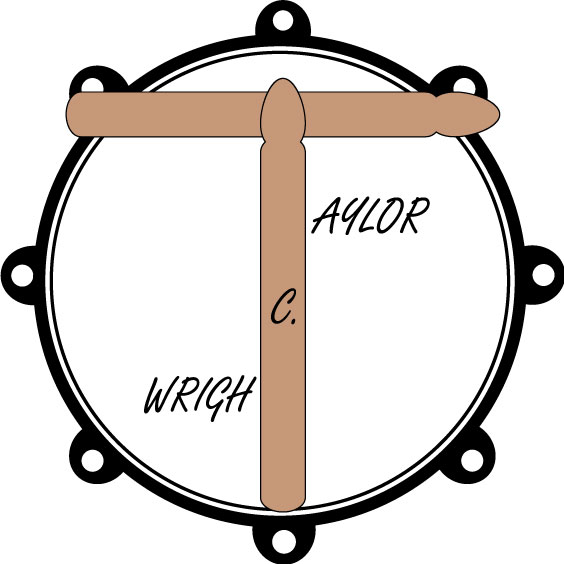
For this project, I decided to make a logo for a band/artist (myself being the artist in question). I chose this because my course topic revolves around the idea of creating an extended play album and all the parts involved to take it to press. This design would be the logo that you could exchange for just stating the artist name in the design.
Design Process:
In this design, I was mainly concerned with balance. The central part of the design is the large letter in the middle and everything expands out from that part of the design, so balance was key. As for research, I looked at drum heads and drum sticks to inform the design of the aforementioned elements. Often, drummers will use their logo as a drum head for their bass drum, since I decided to use sticks, I decided to show them resting on the rim of a drum. The significance of the design is that I started in music as a drummer and it is the instrument I am most proud of being able to play.
The design process started with me sketching out a few renditions of the design. I knew I wanted to use a drum sticks and my name, so I started with the drum sticks. I sketched them out to make the “T” and from there decided to balance out the image by putting the rest of the letters of my name on either side of the letters under the umbrella of the “T.” I originally had planned on putting my middle initial as a large letter behind the drum sticks in the center of the two pairs of letter to get rid of empty space but the balance was much better once adding it on top of the drum stick. I then decided to create a drum head for the sticks to be resting on to round out the logo.
Technical Design:
The elements I used in my design were two drum sticks, a drum head, and text. I modeled the drum sticks from drum sticks that I had next to my desk and played with the design by placing them on top of my snare drum in different ways to see how the design looked before doing the sketch. The process I used went as follows:
- Create the drum stick starting with the rectangle tool.
- Use the scissors to remove the bottom line of the rectangle.
- Use the ellipse tool to create the bottom of the stick.
- Use the scissors to remove the top part of the ellipse to complete the bottom of the stick.
- Use the direct selection tool to round the top of the rectangle.
- Use the ellipse tool to create an ellipse for the tip of the drum stick.
- Use the direct selection tool to manipulate the ellipse into an egg shape.
- 8. Use the scissors to remove the bottom part of the ellipse to complete the tip of the stick
- Place the drum stick head on the top of the drum stick.
- Group the objects and duplicate.
- Rotate and center the duplicated object.
- Create the text, change the font, alter the size and center the entire image.
- Use the ellipse tool to create a large circle for the dampener of the drum.
- Use the ellipse tool to create a large circle for the rim of the drum.
- Adjust the stroke to add weight to the rim.
- Use the ellipse tool to create a small circle for the tension rod holders with that is fully filled in using black.
- Use the ellipse tool to create a smaller circle for the hold the tension rods occupy fully filled in white with a small stroke.
- Place the smaller circle slightly just above center in the larger circle to create the tension rod holder with an empty center and group the objects.
- Create seven copies and place them around the drum head in even intervals and move them to the back of the image.
- Move the drum head to the back.
- Expand all items in the image.
The design went swimmingly, I did not run into any noteworthy issues in the design process.
Summary of Changes:
Here is a summary of the changes from the draft based on peer feedback:
- Added a dampener ring (the inner ring on the drum head) to clarify the image.
- Added the tension rod holders around the outside of the drum to clarify the image.
- Removed the line between the body and tip of the sticks.
- Changed the font of the text.
- Changed the rim color from silver to black.
- Lightened the color of the sticks.
Sources and Materials:
All images have been created by me and all tools and fonts used come standard in Adobe Illustrator.
 Wright Songs